
A team renting cloud GPUs by the hour sees the bill climb as inference runs around the clock. A GPU dedicated server usually becomes cheaper when the card stays busy, provided you accept a fixed monthly commitment.
The choice depends on utilization, memory size and the physical limits of the chassis. Hardware choices beyond the GPU are covered in our dedicated server specs guide.
What a GPU dedicated server is
A GPU dedicated server is a bare metal server that reserves one or more graphics processing units for a single tenant. Scaleway describes its Dedibox GPU range as dedicated, non-shared GPUs with fixed monthly pricing. That is the core difference from cloud computing, where you rent a slice of a provider’s pool by the hour or month.
It suits teams whose GPU work is steady rather than occasional. Typical cases are machine learning inference that serves traffic all day, rendering queues and GPU-bound batch jobs. It suits them poorly if you need a card for a few hours a week, because a monthly commitment then sits idle.
The vendor menu is wider than many buyers assume. OneProvider’s dedicated GPU listings filter by GPU make, with both AMD and NVIDIA available. Software that depends on NVIDIA CUDA narrows that choice back to NVIDIA cards.
Cloud GPU versus dedicated server costs
Hourly billing is not cheaper by default. Atlantic.Net states that its hourly GPU rate is the monthly rate divided by 730 hours, so running an hourly instance all month costs about the monthly price. Hourly pricing saves money only for the hours the GPU sits switched off.
| Aspect | Cloud GPU listing | Dedicated GPU server listing | Planning use |
|---|---|---|---|
| Billing model | On-demand hourly, or monthly with longer terms | Fixed monthly pricing with commitment tiers | Hourly suits bursts; fixed monthly suits steady load. |
| L40S example | 1 x L40S: $1.668/hr or $1,120.9/mo; 3-year $1,058.7/mo | 2x L40S 48GB: €1499.99/month on a 12-month commitment; €1274.99/month on 36-month | Different currencies and GPU counts, so compare terms rather than headline figures. |
| H100 example | 1 x H100 NVL: $3.941/hr or $2,648.4/mo on demand; 3-year $2,407.8/mo | 2x H100 80GB: €3499.99/month; €2974.99/month on 36-month | Longer terms cut the monthly price on both sides. |
| GPU sharing | Depends on provider platform | Dedicated, non-shared GPUs | Ask any cloud provider how the card is isolated. |
Prices come from Atlantic.Net’s GPU server pricing and Scaleway’s Dedibox GPU page.
Commitment discounts exist on both sides
Atlantic.Net’s own 3-year rates are lower than its on-demand monthly rates, so the cloud side also rewards commitment. The real decision is therefore flexibility versus hardware isolation, not simply hourly versus monthly. If you can predict load for a year or more, price a committed dedicated server against a committed cloud instance, not against the on-demand hourly rate.
Entry price points exist too. CloudClusters lists an RTX 4090 dedicated GPU server at $359/mo with 24 GB GDDR6X, offered as a single-GPU configuration on a consumer NVIDIA card. That suits development and smaller inference jobs, but consumer cards lack the memory of data center parts.
Control and consistency
Control is the second half of the argument. A study cited by Melbicom’s production-workload guide found performance degradation of up to 67.58% under combined stress from noisy neighbors. That figure is a worst case under combined stress, not a typical result. It does show why latency-sensitive services value hardware that no other tenant touches.
How much VRAM each workload needs
No single VRAM figure covers every workload, so size the card to your model weights plus working memory and then check bandwidth. The table lists current NVIDIA data center options.
| GPU | Memory | Memory bandwidth | Planning use |
|---|---|---|---|
| NVIDIA A2 | 16 GB | Not listed here | Entry-level inference and video analysis. |
| NVIDIA L40S | 48 GB ECC GDDR6 | 864 GB/s | Inference and rendering; includes 3x NVENC and 3x NVDEC. |
| NVIDIA H100 SXM | 80 GB | 3.35 TB/s | Large models where bandwidth is the limit. |
| NVIDIA H200 | 141 GB HBM3e | 4.8 TB/s | The largest models in this range. |
Figures for the L40S, H100 SXM and H200 are NVIDIA listings as cited by Melbicom; the A2 figure is from Atlantic.Net.
Inference
Inference has a hard floor and a soft ceiling. Some software sets a minimum: SP1 prover guidance asks for at least 24 GB of VRAM, CUDA compute capability 8.6+, 4 CPU cores and 16 GB of RAM. Below the floor, the workload will not run well at all.
Offloading to the CPU is a poor workaround. In vLLM, adding 10 GiB of CPU offload to a 24 GB GPU makes it behave like a 34 GB card. The weights are reloaded on each forward pass, and Melbicom calls that a fallback, not steady state. Buy the memory instead of leaning on offload.
Rendering
For rendering, more expensive memory does not guarantee a faster card. In Blender benchmark data cited by Melbicom, the L40S posted a median score of 9083.53 from 57 submissions. The H100 80GB posted 6259.42 from 11. Match the card to the renderer, and check hardware video encoders if you also transcode.
Training
Training calls for the most capacity and bandwidth, which points to the HBM-based cards in the table. The sustained-use argument is strongest here, because long runs keep the hardware busy for weeks.
PCIe, power and cooling
A GPU server is limited by its PCIe layout, power delivery and airflow before it is limited by price. Check all three before you commit to a configuration.
PCIe topology
PCIe is the link between the GPU and everything else in the machine. Melbicom notes that PCIe topology, root complex placement and shared GPU, NIC or NVMe paths affect storage latency. NVIDIA GPUDirect Storage creates a direct DMA path between GPU memory and storage, avoiding the CPU bounce buffer. Ask the host how GPUs and NVMe drives are attached, not only how many slots exist.
Network and storage feed the GPU too. Scaleway’s GPU servers pair the cards with 2 x 3.84 TB or 7.68 TB NVMe SSDs and network speeds up to 25Gbit/s. If your data arrives over the network, read the 1gbps vs 10gbps dedicated server comparison before choosing a port.
Power and cooling
GPUs are among the heaviest power and heat sources in a server, so power capacity and airflow decide how many cards a chassis can carry. Ask which card models the chassis is built to power and cool, and whether the data center rack can supply that load. If uptime matters, look at how a redundant power supply server layout copes with GPU-heavy draw.
Multiple GPUs in one server
Yes, a dedicated server can hold multiple GPUs. Scaleway lists the GPU-10-L40S with 2x L40S 48GB and the GPU-10-H100 with 2x H100 80GB, both on an EPYC 9334 32c/64t 2.7 GHz processor. The H100 model carries 512 GB DDR5, so a multi-GPU server also needs matching CPU and RAM.
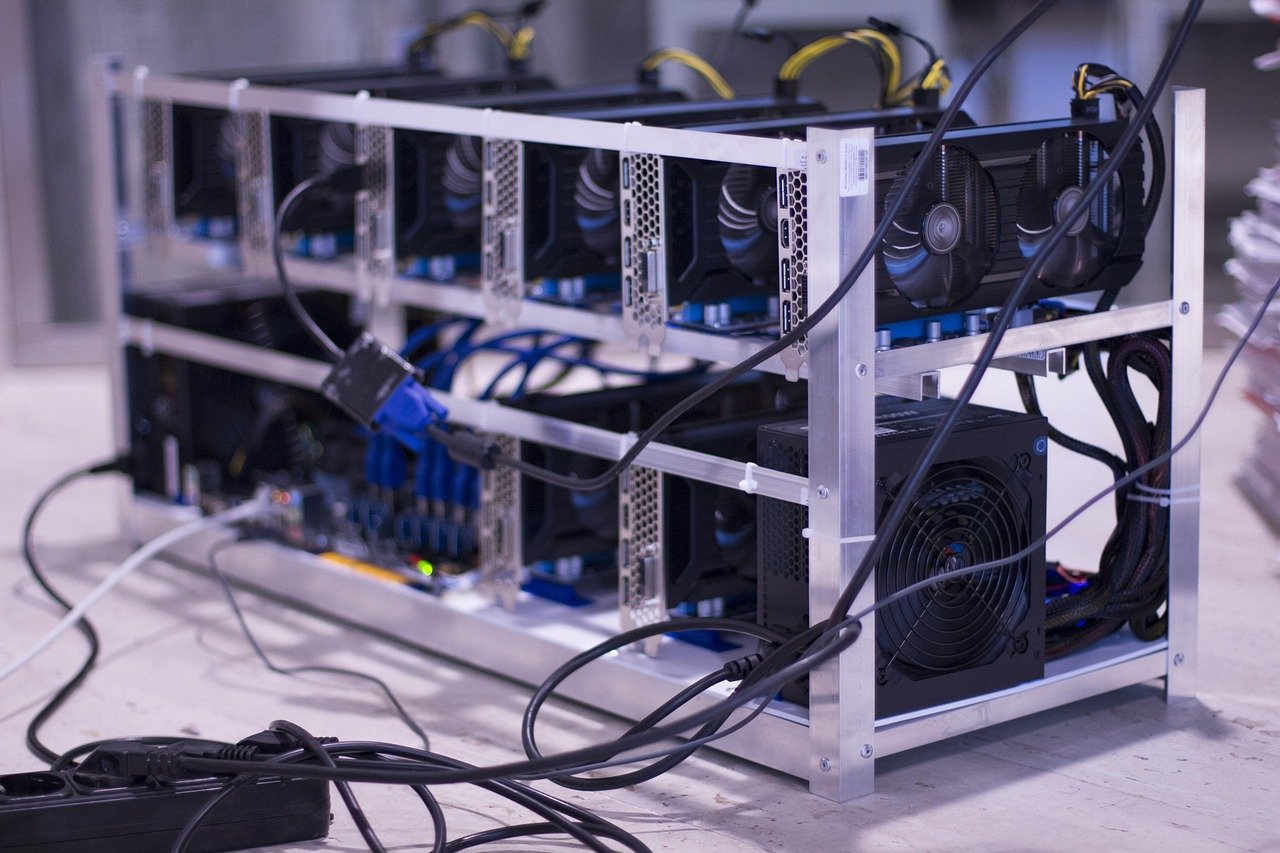
Multi-GPU is not always available. Single-GPU servers remain common, and CloudClusters presents its consumer-card range as single-GPU configurations. Each added card draws on the same PCIe, power and cooling limits described above, so a four-card plan needs a chassis designed for it, not just a larger order quantity.
Matching the choice to your workload
- Choose a dedicated server when the GPU is busy most of the month, when you want non-shared hardware, or when you can commit to a 12-month or 36-month term.
- Choose cloud GPUs for experiments, bursts and short projects, where hourly billing lets you stop paying when the work stops.
- Do not assume the biggest card wins. The Blender medians above show a cheaper graphics-oriented card can outscore an H100 on rendering.
- Do not rely on offload. Pick VRAM for the model, and treat CPU offload as a fallback.
Frequently asked questions
| Question | Answer |
|---|---|
| Can one GPU serve several users at once? | On supported GPUs, NVIDIA MIG can partition one device into as many as seven isolated instances. That lets a single dedicated card serve several smaller jobs. |
| Does server location matter for inference? | Yes, for interactive use. Light in fiber travels at roughly 200,000,000 meters per second, so a 100 km round trip adds about 1 ms before any processing. |
| What latency should interactive LLM serving target? | The Llama 2 70B interactive benchmark cited by Melbicom sets a 99th-percentile ceiling of 450 ms time to first token and 40 ms time per output token. Treat that as a ceiling, not a goal. |
| Do I have to choose NVIDIA? | Not always. AMD and NVIDIA servers are both listed, but software that needs CUDA, such as SP1 prover guidance requiring compute capability 8.6+, requires an NVIDIA card. |